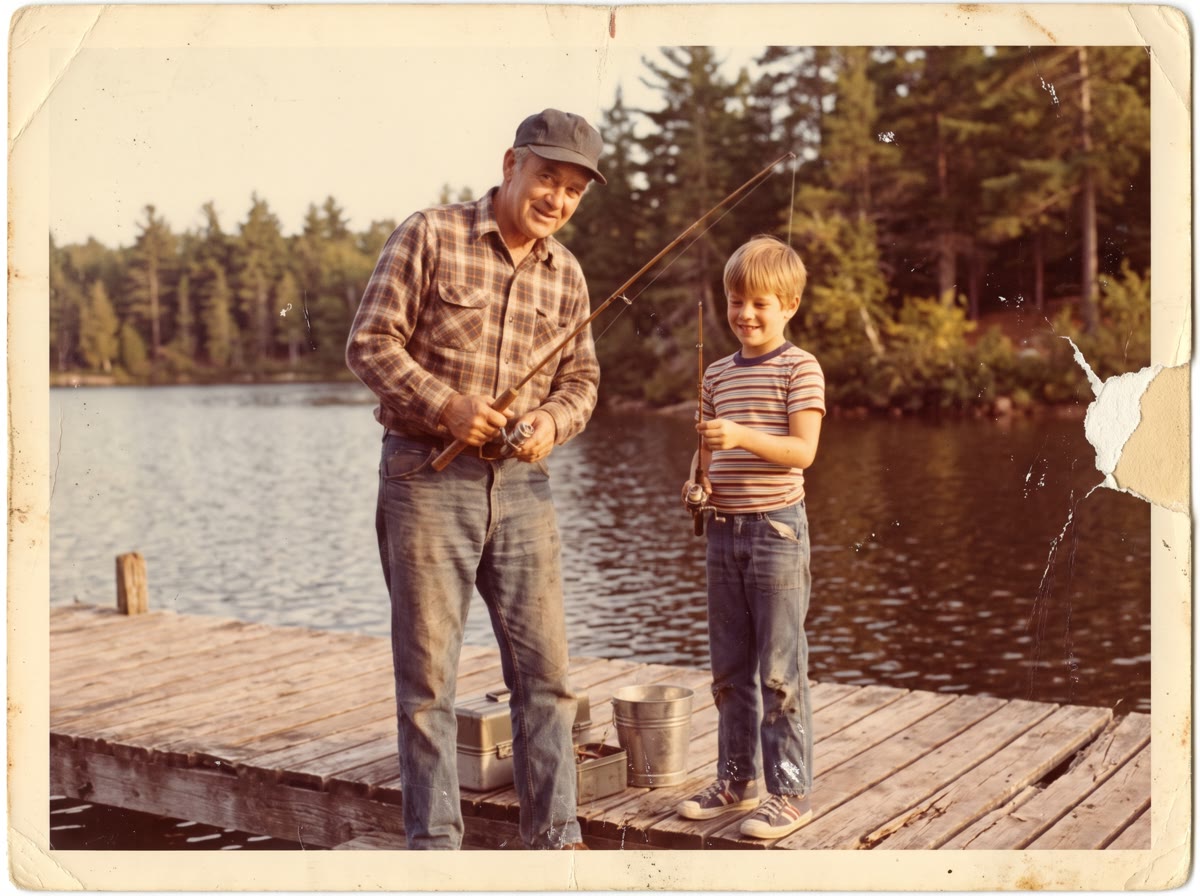
Fix magenta, orange, and yellow fade on 1970s family color photos
Prints from the 1960s, 1970s, and 1980s often turn distinctly pink, red, or muddy yellow inside magnetic albums. Mended Photo rebalances decayed dye layers back to natural daylight color while repairing fold creases and torn borders.
Upload a family photo for a free preview
Snap a photo of a print with your phone, or upload JPG, PNG, HEIC, or archival TIFF scans. No account required.
Choose Photograph
Free watermarked preview in ~15s · From $4.99 to download clean 4K (no subscription)
Free preview in ~15s · One-time packs from $4.99 · 4K Color & Archival Restore included
Extended missing lake shoreline seamlessly, lifted decades of yellow fade, and balanced natural daylight color.
Why 1970s Kodak C-41 prints and Ektachrome slides turn magenta or yellow
Cyan dye thermal decay (pink & red shift)
Color photographic paper uses three organic dyes: cyan, magenta, and yellow. On 1970s chromogenic prints (Kodak Ektacolor and early C-41 papers), the cyan dye breaks down fastest in dark warm storage. As cyan disappears, red and magenta dominate skin, grass, and skies.
Magnetic album adhesive yellowing
Peel-and-stick "magnetic" photo albums from the 1970s used acidic cardboard and rubber-based glue strips. Over decades, outgassing adhesive turns white borders and highlights amber-yellow and causes uneven streaks across the sky.
Why simple "Auto Color" filters fail
Standard photo editors stretch the remaining red and green channels blindly, leaving muddy gray shadows, cyan noise in dark hair, and flat orange skin. Archival restoration reconstructs missing neutral tones, recovers natural foliage and sky, and keeps facial grain authentic.